Nutanix 1-Click Upgrade Stalled
Introduction
Recently, a colleague of mine was experiencing some issues while performing ESXi upgrades through the Nutanix 1-click functionality.
In this post, the goal is to describe the exact issue, the symptoms, and the solution to tackle this issue.
The issue
When performing 1-click upgrades, there are some specific requirements and recommendations your environment needs to meet.
These are being described in the respective Nutanix documentation, which can be found here.
I will list a few important ones of them here below, however:
- It is required to have DRS enabled to simplify and automate the upgrade process. If this is not feasible, you'll have to fall back to the manual upgrade process.
- Admission control should be disabled upfront, temporarily, to avoid any issues during the upgrade. Failing to do so will result in the following alert as described in this KB.
- Ideally, although not a hard requirement, you'll want to use the JSON metadata file in combination with the ESXi ZIP bundle. This ensures that the ESXi version is fully qualified and supported by Nutanix. However, as a fallback, you may use the MD5 checksum at your own disposal as an alternative.
- Make sure the compatibility between the hardware, AOS, and relevant components is checked, which can be done in the Nutanix support portal Compatibility and Interoperability Matrix.
- ...
The actual issue here was that the Nutanix nodes were split across two vSphere clusters, but on the Nutanix level, it is one and the same cluster.
This allowed a small error to slip through, since DRS was enabled only for one of the two vSphere clusters.
When the upgrades kicked off, we had to evacuate VMs from a host residing in the non-DRS-enabled cluster. This resulted in a "loop" since the Nutanix cluster was waiting for all VMs to be vMotioned, but since DRS was not enabled, no vMotions were executed.
After some time, this task became stuck due to not making any progress and resulted in a failed error, as we can observe in the following print screens.
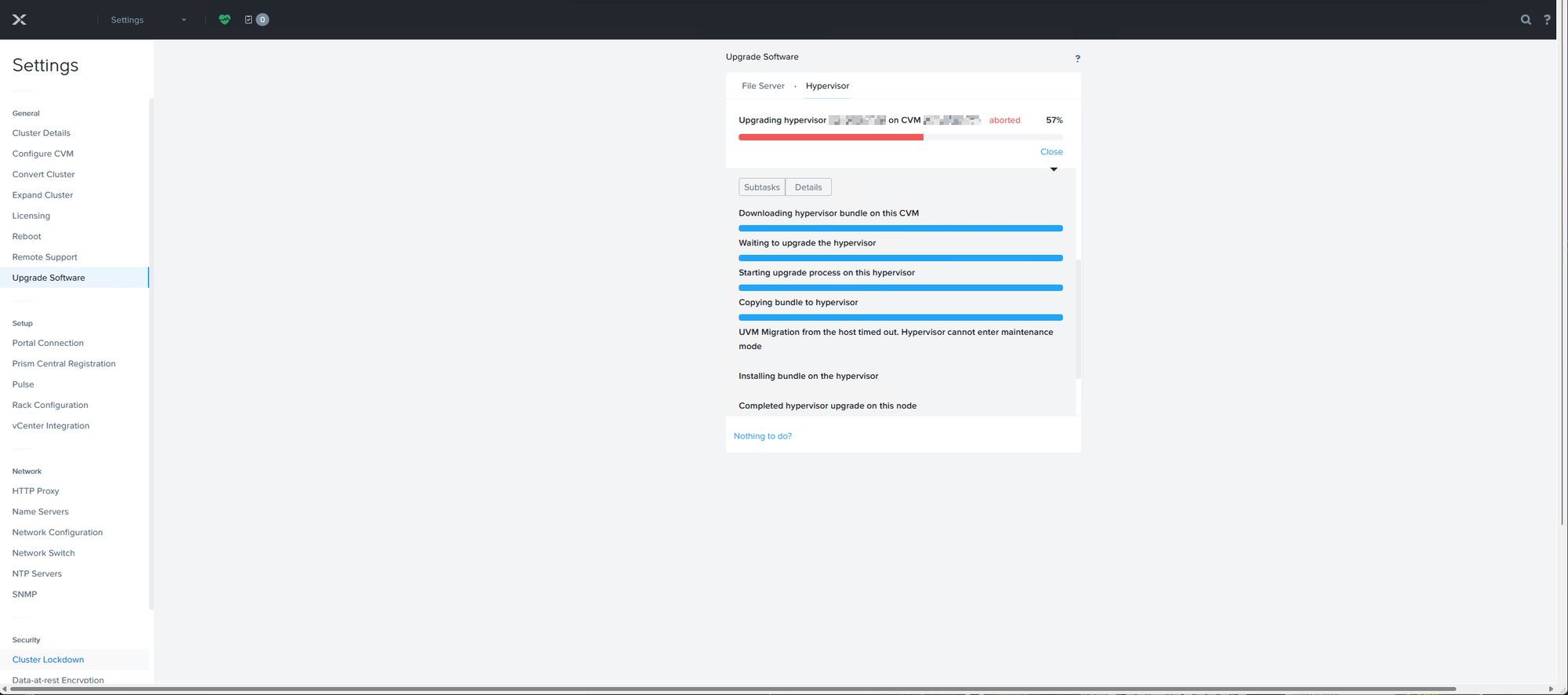
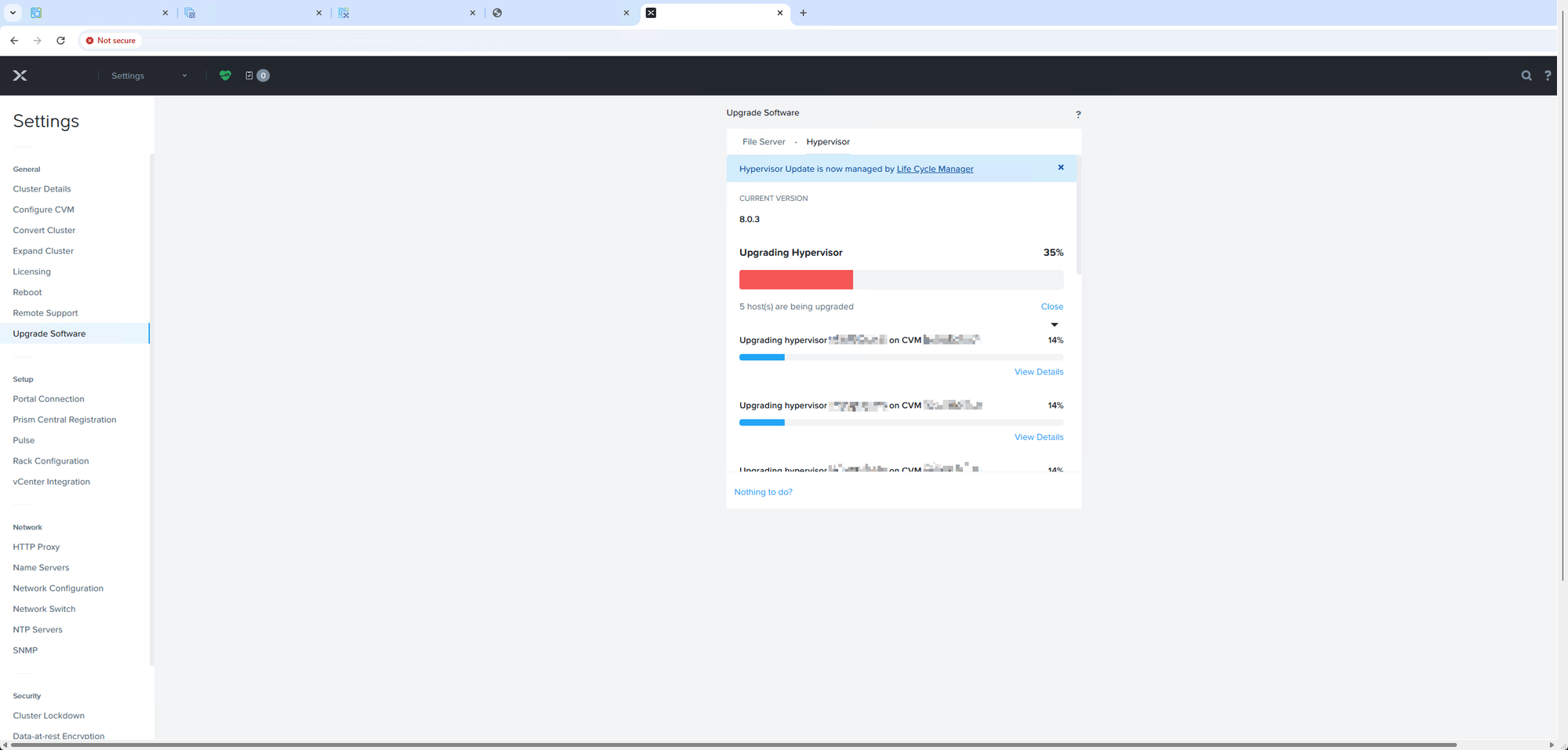
This task would eventually just fail and later on time out, since this is a blocking factor for allowing the 1-click upgrade to make progress.
The fix
The fix to tackle this issue is, in fact, relatively simple and involves two steps.
- Enabling DRS on the impacted vSphere cluster
- Restarting the Genesis service cluster-wide to refresh the task
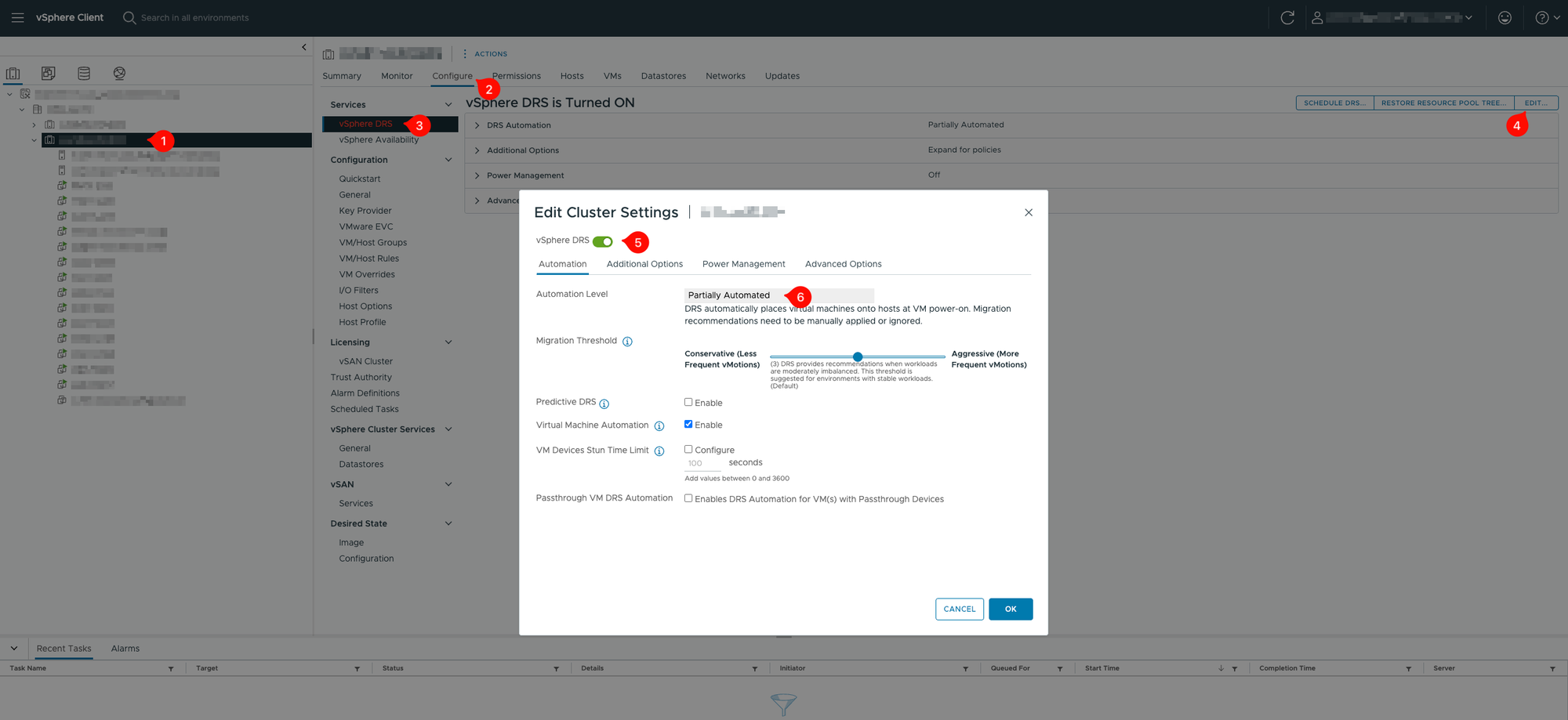
Enable DRS
To perform this, follow the steps below to enable DRS.
- Navigate to the specific vCenter hosting the cluster
- Click the specific cluster object and follow the following menu hierarchy
- Cluster name > Configure > vSphere DRS > Edit
- Make sure the DRS toggle is enabled and DRS is set to Fully Automated
Below is a print screen illustrating the steps and locations
Restarting Genesis service
Once DRS has been enabled and verified, with the task still being stuck, run the following command on any CVM participating in the impacted cluster to fix the stuck task.
cluster restart_genesisThis will restart the Genesis service cluster-wide and bump the stuck task to proceed again.
After a certain time, you'll notice the red bars from the images up here are changing to blue bars again and the task is resuming.
The upgrade should progress further and finalize the 1-click upgrades.
That's it, normally. Thank you for stopping by and reading this article.